Xero review (2026): pricing, features and who it's for
What works
- All three US plans include unlimited users, so nine logins cost the same as two
- Receipt and bill capture through Hubdoc is free on every plan, including $25 Early
- Profit and loss, balance sheet and cash flow reports come on every plan
- Daily bank feeds land on every plan, with suggested matches so you click confirm
- Month to month with a 30-day free trial and no credit card to start
What to watch
- Early at $25 caps you at 20 invoices sent and 5 bills entered a month
- No direct Housecall Pro connection, so those shops retype invoices or pay for a bridge
- There is no inbound phone line, and support runs online through Xero Central
- Employee expense claims need Established at $90, two tiers above the plan most shops buy
- US prices rise on October 1, 2026 to $27, $59 and $97
Why unlimited users changes your bill
Accounting software that charges per person gets expensive in a way that is easy to miss at signup. You start with one login. Then your office manager needs to send invoices. Your bookkeeper needs to match your records against the bank. Your accountant wants to log in in January instead of getting a shoebox in April. On a per-person plan, every one of those adds to the bill. The usual dodge is to have everyone share one password. That wrecks your audit trail, which is the record of who changed what.
Xero charges a flat price. Every plan, even the cheapest one, includes unlimited users at no extra cost. Growing costs $55 a month whether two people log in or nine. That is $660 a year. It stays $660 a year when you hand your accountant their own login. If you are adding office staff faster than trucks, this is the strongest reason on the page to put your books here.
Owners describe using it in exactly that shape. Electricians talking shop on Reddit treat Xero as the invoicing and quoting tool, then hand the rest to somebody else. One solo electrician, six years out on his own, says he uses it "only for invoicing and quotes" and has "no idea how to use it to its full potential". Another says it is fine for invoices and easy to amend on the go, but "the rest of it should be done by a book keeper". Read that as the case for the flat price, not against it. The bookkeeper doing that work needs a login, and here the login costs nothing.
Where the $25 plan stops
Early is a usable plan. But read the counters. Twenty invoices a month is about one invoiced job per working day. Five bills a month covers a supply-house statement and a couple of utility bills, then it is gone. A single-owner handyman billing weekly can live inside that. An HVAC shop in July cannot.
Growing at $55 lifts both caps. You get unlimited invoices and unlimited bills. That is the plan most trade businesses will land on. Established at $90 adds three things. Multi-currency lets you bill and get paid in another country's money. Employee expense claims let your staff submit what they spent so you can pay them back. Projects track your costs job by job, which matters if you want that tracking inside the accounting file rather than only in your field software.
You are not locked in either way. Plans are month to month with no annual contract. You can cancel any time. There is a 30-day free trial of the full product, and you do not need a credit card to start. Prices above are in US dollars and do not include sales tax, as of August 2026. Put October 1, 2026 on the calendar. That is when the announced US increase to $27, $59 and $97 takes effect.
What it takes off your desk each week
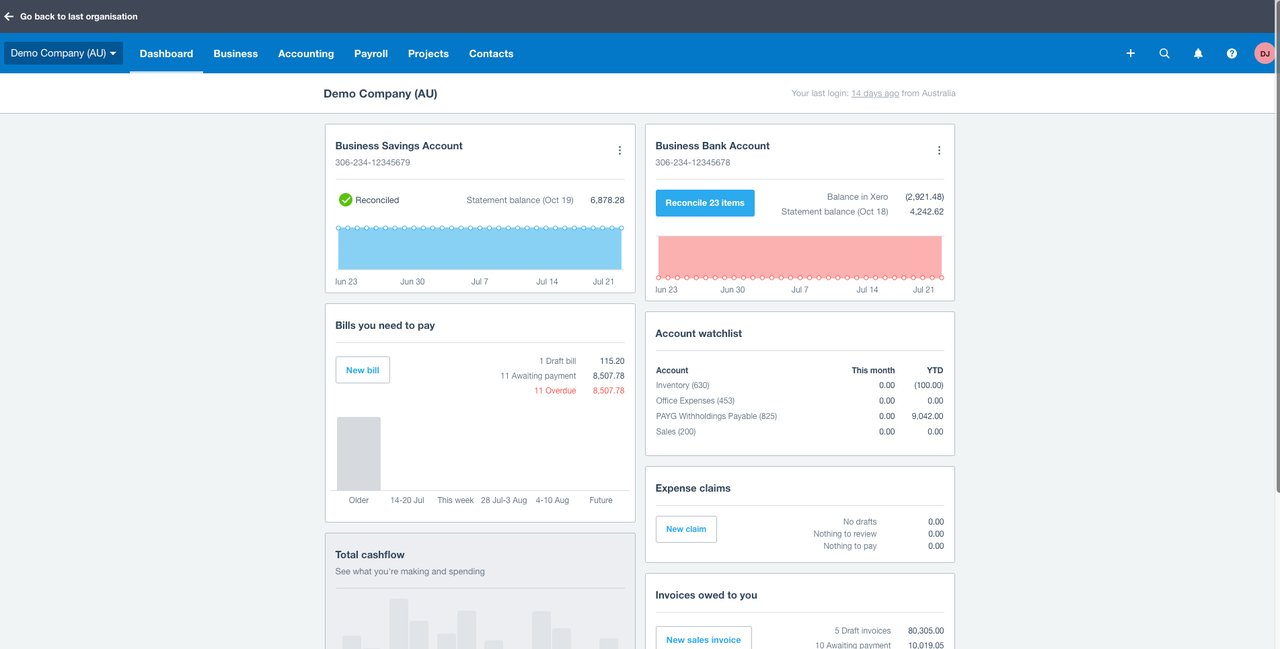
Bank feeds pull your transactions in daily on every plan. You do not upload statements. Xero also suggests which bank transaction goes with which invoice or bill. Reconciling means checking your books against what the bank says. So a week of card spend becomes a session of clicking confirm instead of typing. Receipt and bill capture through Hubdoc is free on Early, Growing and Established. You photograph a receipt and it reads the details off it. Getting that on a bottom tier is unusual, and it helps in a trade where receipts arrive as a glovebox full of paper.
Reports are not held back for the higher plans either. Every plan gets profit and loss, which is what you earned against what you spent. Every plan gets a balance sheet, which is what you own against what you owe. You also get cash flow, aged receivables (who owes you and how late they are) and aged payables (who you owe). A short-range cash flow view comes with it. The 90-day forecasting in Xero Analytics Plus costs extra on the lower plans. So budget for an add-on if you want to look that far ahead.
Sales tax is worked out for you through Avalara, which covers more than 13,000 US tax areas and builds your per-state reports. Understand one thing before you buy. Filing electronically is something you opt into and set up through Avalara. Xero does the math. The filing is a separate arrangement you set up yourself.
How it connects to your field software
Your books and your field software have to talk. If they do not, someone in your office retypes every invoice. Xero connects directly to four field tools. Jobber syncs customers, products and services, invoices and payments. ServiceM8 syncs both ways: invoices, customers, items, payments and tax rates. Simpro and FieldPulse connect too. If your dispatch and job management already lives in one of those, the accounting side is a connection you switch on, not a project.
Housecall Pro is the one field tool that does not connect. Housecall Pro's built-in accounting sync goes to QuickBooks. There is no direct Housecall Pro connection to Xero. That leaves a Housecall Pro shop three choices, and none of them are free. Pay for a third-party tool to bridge the two. Retype everything by hand between the systems. Or keep the books in QuickBooks and give up the unlimited-user math that brought you here. We would not switch a working Housecall Pro operation onto Xero to save on seats. The hours spent retyping will cost more than the seat savings are worth.
Two things to price in before you sign up
There is no phone number to call. Support is free, unlimited and open 24/7, but it runs online through Xero Central. Xero can call you back, but only when they decide to. You cannot ask for a call. If you want to reach a person mid-panic on a Friday afternoon, price that gap into your decision. New US subscriptions do get free access to Xero Coaches for the first 90 days, which covers the stretch where most of the confusion happens.
The other problem is which plan each feature sits on. Employee expense claims only come on Established at $90. So a shop that pays three techs back for parts runs and fuel gets pushed two tiers up for a workflow that feels basic. Receipt capture on every plan makes up for a little of that. But claims and approvals are top tier only. Forecasting is an add-on. Neither is hidden, and neither is cheap to bolt on later, so do that math before you pick a tier.
Who it fits, and who should skip it
Xero fits an owner-run trade business that has outgrown a spreadsheet and now has more than one person in the books. Think an office manager raising invoices, a bookkeeper matching the bank every week, and an accountant who would rather log in than wait for a file. Budget $55 a month on Growing, $59 from October 1, 2026, and stop worrying about how many people need access. It also fits neatly if your field software is Jobber, ServiceM8, Simpro or FieldPulse.
Pick something else in three cases. First, if you run Housecall Pro and are not moving, the missing connection costs you more than the seat savings. Second, if you want a phone number to call when the books do something you do not understand, look for a vendor that publishes one. Third, if you send fewer than 20 invoices a month and expect to stay there, Early at $25 is enough. Check that last one honestly. Most shops that pass 20 never go back under it.
What owners report changes one line of that advice. Nobody describes using much of Xero beyond quotes, invoices and the bank feed. The heavy work goes to a bookkeeper or an accountant. So do not buy Established at $90 for projects or expense claims until somebody in your shop tells you they will open them. Start on Growing, hand your bookkeeper a login, and let the flat price do the one thing it is very good at. Owners starting out also tell each other to look at Freshbooks and Xero before defaulting to Intuit, which is worth knowing if you are only here because QuickBooks is what everyone uses.
What owners actually say
How we researched this
Pricing comes from the vendor's pricing page, or for quote-only tools from dated user-reported figures, current as of the review date. Owner quotes are verbatim, from real practitioner discussions, with the source linked. We don't take payment for placement.