FieldPulse review (2026): deep features, gated pricing
What works
- Inventory across warehouses, trucks and vans, with barcode scanning and purchase orders from the app
- The mobile app keeps working offline, so techs finish jobs on sites with no signal
- Job costing, a flat-rate price book and custom forms sit in one login
- Owners who demo it come away saying the price is fair for the depth
- Two-way QuickBooks sync covers both QuickBooks Online and QuickBooks Desktop
What to watch
- No published price and no free trial, so a demo is the only way to a number
- You buy a set number of seats upfront for the contract term, used or not
- No native payroll integration, so one owner uploads time to Gusto by hand daily
- Owners report no geo-fencing, so techs can clock in from wherever they are
- The Engage phone system, Operator AI, Pricebook and Fleet Tracking are billed separately
Who this suits, and who it does not
FieldPulse targets the shop in the awkward middle. Too big for a phone and a spreadsheet. Not ready to hand ServiceTitan a five-figure setup check. Think 3 to 25 techs in HVAC, plumbing, electrical, locksmithing, access control or exterior services. There is usually someone in the office running dispatch. And someone wants inventory and job costing inside the same system the field uses.
It lands on those shortlists for a reason. Operators comparing tools tend to rank it with the big platforms on capability, and it prices well below them. In our read it is among the most complete options at this size. One five-tech plumbing shop with an office dispatcher picked FieldPulse after weighing it against the bigger platforms.
A true one-truck operator should skip it. Say you need to schedule, quote, invoice and get paid, and nothing deeper. You will pay for modules that sit idle, and you will fight more setup than a lighter app asks for. Decide that before a demo talks you up a tier.
The features that set it apart
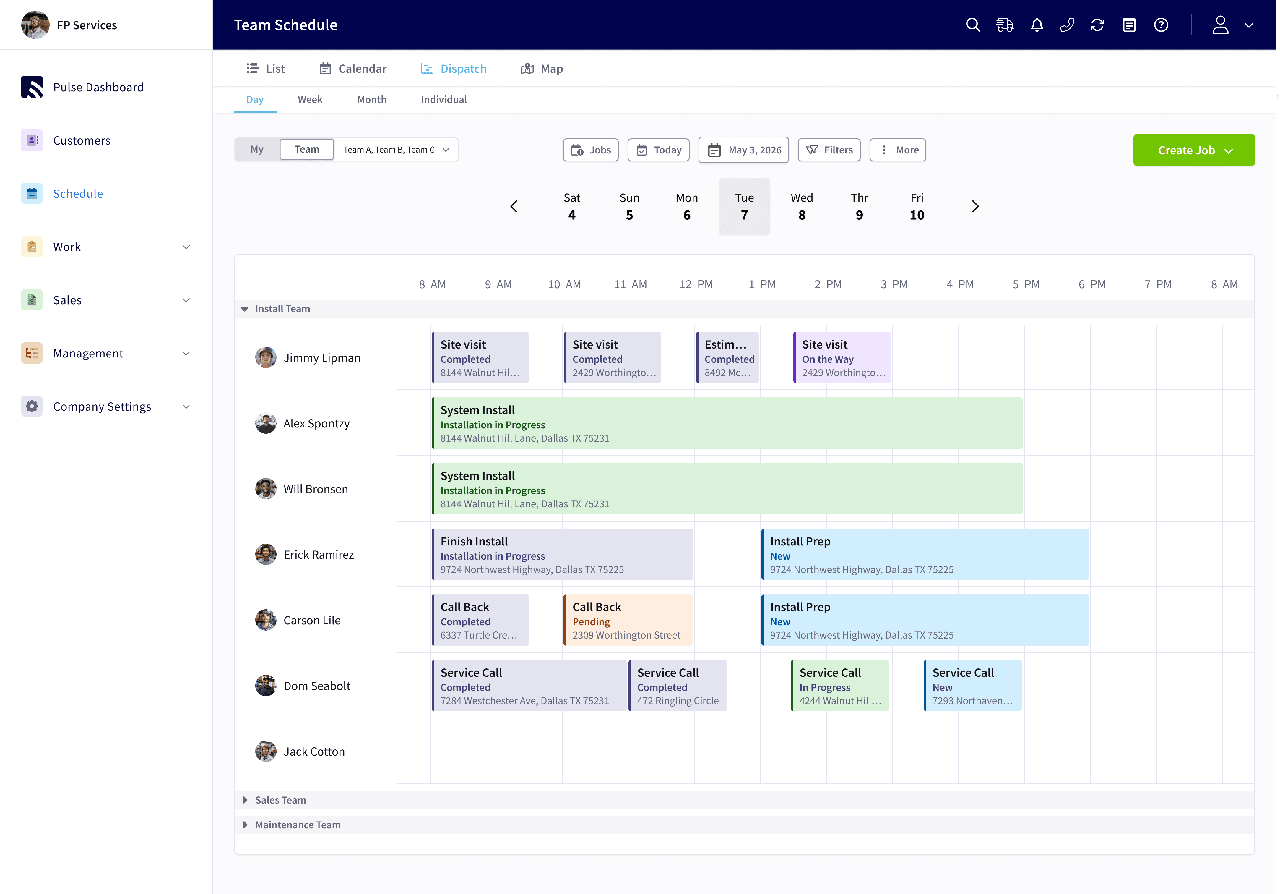
Depth is the pitch, and it mostly delivers. Inventory is the standout. You can hold stock in several places at once (warehouses, trucks, vans) and scan barcodes. Item counts drop off your list as parts get used on invoices. You can submit purchase orders from the app. Around that sit estimates with a flat-rate price book, job costing, asset and equipment tracking, custom digital forms, a booking and customer portal, and a QuickBooks sync. The mobile app is a real strength, including offline use on sites with no signal. That is where a lot of cheaper tools fall down.
That range is why owners who commit to it fold two or three separate tools into one login. One third-party comparison round-up also rates the FieldPulse app highly for owners working in the field, against other mid-market options. It is also more than a small shop will touch. What you get back depends on how much of the platform you run, so count the parts you will use before you sign anything.
The price is behind a demo
Here is what the vendor will not put on a page. FieldPulse gates every price. The pricing page (checked August 2026) shows three tiers, Essentials, Professional and Enterprise, each behind a demo request. It does state the model plainly. You buy a set number of seats upfront for your contract term, and the rate depends on what each seat needs access to. Seats come in two kinds: full-access, and the cheaper field-only seat that is mobile app only. Premium add-ons are priced separately. Those are the Engage phone system, Operator AI, Pricebook, Fleet Tracking, Custom Forms, Payments and Financing.
Reported figures put the base around $99 per full-access user a month. We label that as reported because nothing is published. Try to price a six-person shop and you hit a wall. You would mix full-access office seats with cheaper field-only seats. But the vendor rate and the field-only price are both unpublished, so you cannot work out a total without a quote. And because you buy the seats upfront for the term, you are committed for the length of that contract whether every seat gets used or not. Switch on the phone system or Operator AI and the number climbs from there.
None of that makes it overpriced. Owners who demo it often come away saying the price is fair for what you get. The friction is the process, not only the dollars. You cannot line FieldPulse up against Jobber or Housecall Pro on a Tuesday night without booking a call. Those two publish their pricing and let you leave month to month. That transparency gap is the knock buyers repeat most, even the ones who like the product.
Where it falls short
Three weak spots come up from owners who otherwise like the tool. The biggest is team management and payroll. There is no native payroll integration. Reports of missing geo-fencing mean techs can clock in from anywhere. Geo-fencing is the check that a tech is at the job site before the app lets him clock in. So shops end up exporting time to a separate payroll app by hand, or running two apps side by side. If your headache is labor tracking and payroll, FieldPulse will not fix it out of the box.
Second, it can get rigid as your volume climbs. As with any deep platform, budget setup time to fit your workflow to it rather than the reverse. The depth that helps a growing shop can start to get in the way once you are running heavy volume.
Third, accounting and inventory have rough edges. Test the QuickBooks sync on your own data before you sign, because that is where these platforms quietly break. Ask in the demo what stock-adjustment permissions field techs get. None of these is a dealbreaker on its own. Together they are the reason to run a real week of your work through a trial or a hands-on demo, not just a scripted walkthrough.
When the depth pays off
FieldPulse is worth the demo if you run a growing trades company that needs real depth. That means inventory, job costing, a flat-rate price book, custom forms, and a field app your crews will use. Buy it when you will run enough of the platform to justify buying seats upfront behind a quote. Go in having priced the full seat count and any add-ons you need, not just the headline per-user number.
For plenty of shops, a simpler tool wins. If a posted price and a month-to-month exit matter most, Jobber is the cleaner buy, and our FieldPulse vs Jobber breakdown puts them side by side. If you want polish and a residential-service brand more than raw depth, Housecall Pro is the friendlier tool, covered in FieldPulse vs Housecall Pro. A one-to-two person shop chasing the lowest bill should look at ServiceM8 and its unlimited-user metered plans. Torn at the top end? ServiceTitan vs FieldPulse shows where the enterprise platform takes over. The full set of swaps is in FieldPulse alternatives.
Our verdict: a deep field-service platform held back by a sales-gated, commit-upfront buying process. If you need the depth and will use it, FieldPulse earns its shortlist spot. If you would leave half of it switched off, or you just want to see a price and sign up, buy something simpler.
What owners actually say
More on the tools in this article

How we researched this
Pricing comes from the vendor's pricing page, or for quote-only tools from dated user-reported figures, current as of the review date. Owner quotes are verbatim, from real practitioner discussions, with the source linked. We don't take payment for placement.